
Free Directory Listings: Get Your Kansas City Business Found
How free business directory listings work, what to prepare, how to claim and verify one, and what to check before paying, with a Kansas City focus.

A free directory listing is a no-cost public profile that puts your business name, address, phone number, category, hours and website in front of people searching for what you do. For a Kansas City business, the smart move is to claim a handful of listings that matter, keep them accurate, and ignore the long tail of low-quality submission sites. This guide shows you which listings to start with, what to prepare, how claiming and verification work, and what to check before you pay for anything.
If you are a resident looking for a plumber, a gym or a childcare provider, the same listings help you too: they let you compare basic details and contact a business in a couple of minutes.
FindlocalkcHelp Kansas City Find Your BusinessFindLocalKC connects Kansas City businesses with local searchers through a directory spanning Missouri and Kansas.Explore the directoryKey takeaways
- A free listing costs nothing and, done right, makes you easier to find for nearby customers who search by location, category or keyword.
- Start with a few core listings (Google, Bing, Yelp, plus a local directory for your metro) and keep your name, address and phone number identical everywhere.
- Claiming means finding your existing profile, proving ownership by phone, email or postcard, and then completing every field.
- “Free” usually means basic inclusion. Paid tiers add visibility or tools, so read what each one actually changes before you upgrade.
- Reviews carry legal rules: federal guidance now bans fake reviews and pay-to-play ratings.
Table of Contents
- What a free directory listing actually is
- Why a free listing is worth your time
- Which free listings to claim first
- What to prepare before you start
- How to submit, claim and verify a listing
- Keep your listings accurate
- Reviews: what owners and customers should know
- Are free listings really free?
- Our perspective: why local beats long lists
- Claim your free listing on FindLocalKC
- A one-hour plan for a small business
- FAQ
- Sources
What a free directory listing actually is
A free business directory listing is a basic public profile. According to Forbes, it typically contains the business name, address, phone number, category, hours, website and a description. It helps a business become discoverable to nearby customers, and it helps searchers compare basics and reach the right provider.
That last part matters more than most owners realize. The U.S. Small Business Administration notes that local businesses need to attract nearby customers who often search online or on their phones first. A listing is often the first thing those people see, sometimes before they ever reach your own website.
There are two kinds of free listings worth separating:
- Platform profiles such as Google Business Profile and Bing Places, which feed maps and search results.
- Directories, which organize businesses by city and category so people can browse. Our own directory, FindLocalKC, is one of these, built for the Kansas City metro on both sides of the state line.
You want both. The platform profiles get you into maps and search. A local directory puts you next to the other businesses a Kansas City resident is comparing you with.
Why a free listing is worth your time
The benefits are practical, not magical.
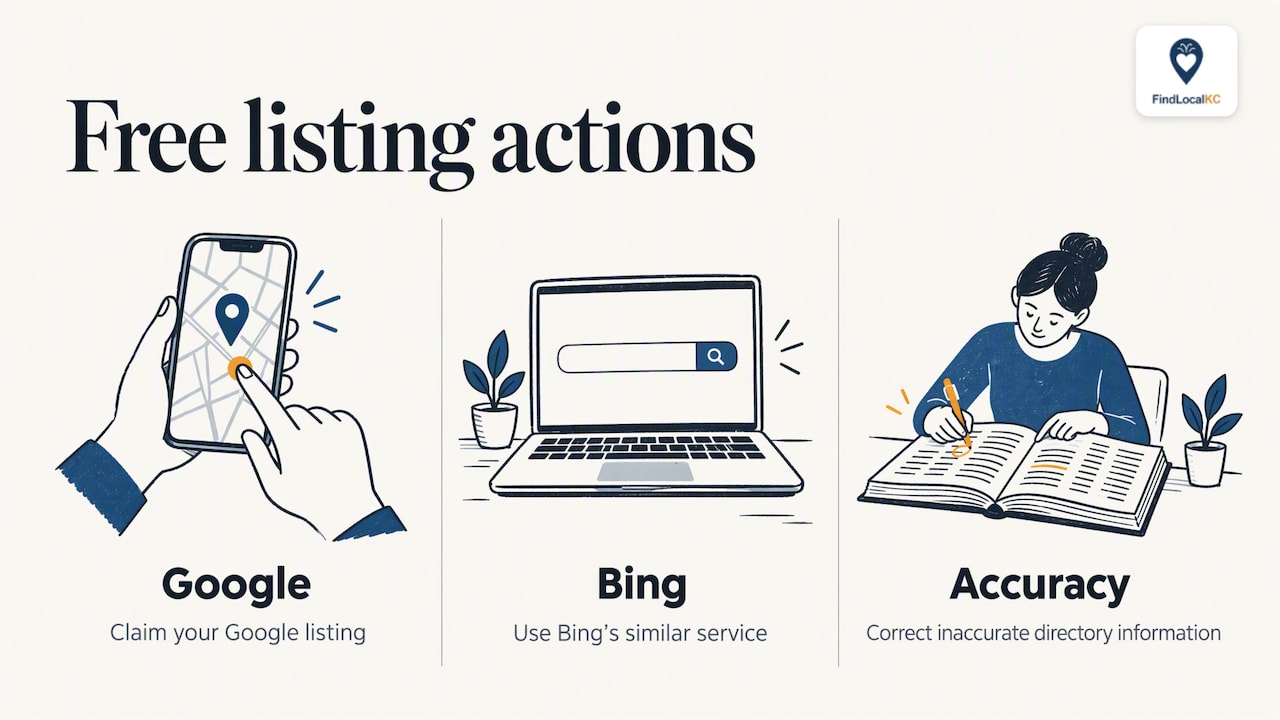
You show up where people look. The SBA recommends claiming your Google listing, using Bing’s similar service, and correcting inaccurate directory information. Those are the same steps any local owner can take in an afternoon.
You give customers what they need to decide. A good listing answers the first questions fast: where are you, are you open now, how do I call you, what do you do. A profile with photos and a clear description answers them better than a bare name and number.
You build trust. Forbes points out that incomplete or inaccurate listings can cost a business customers’ trust. A wrong phone number or old hours sends a customer to the next name on the page.
It costs no cash. It does cost time, mainly in setup and upkeep, which is why picking a few listings beats chasing hundreds.
Which free listings to claim first
You will find endless lists of free listing sites online, some promising hundreds. Most small businesses do not need hundreds. Work in tiers.
Tier one: the foundation
The SBA specifically names Google and Bing in its local marketing advice. Claim:
- Google Business Profile, which drives Google Maps and local search results.
- Bing Places, which covers Bing and a number of other services that draw on its data.
- Yelp, which many people still use for restaurants, home services and salons.
Tier two: your local directory
A directory focused on your metro helps customers who search by city or neighborhood. For Kansas City that means a listing where someone can browse by city, such as Gladstone or Lee’s Summit, and by category, such as restaurants, home services, healthcare, fitness or family and childcare.
We built FindLocalKC around exactly that. Listings are sorted so that premium placements appear first, and every business, free or paid, can verify ownership.
Tier three: industry and community listings
These are the sites specific to your trade or neighborhood: a professional association, a chamber of commerce, a trade board, or a niche directory for your field. Add them after tiers one and two are accurate and complete. A small number of well-kept listings does more than a long list nobody maintains.
What to prepare before you start
Do this once and every listing goes faster. Forbes recommends having the exact business name, category, address or service area, public phone number, website, hours and a concise description ready, plus services, photos and social links where the site allows them.
Put it in a single document:
Item What to write Common slip Business name Exactly as on your sign and website Adding keywords to the name Address or service area Street address, or the cities you serve if you travel to customers Listing a home address you do not want public Phone One public number Mixing a mobile and a landline across sites Website The full URL Linking to an old or redirected page Hours Regular hours, plus holiday changes Forgetting to update after a schedule change Category The closest match to your main service Choosing a broad category that dilutes the match Description Two to four plain sentences Copying marketing slogans Photos Storefront, work, team, products Dark or outdated imagesA tip for Kansas City: if you serve both sides of State Line Road, say so in the description and name the cities you actually cover, such as Overland Park, Independence or North Kansas City. People search by the city they live in, not by “metro area.”
How to submit, claim and verify a listing
The process is similar almost everywhere. Search for your business name on the directory first. If a profile exists, claim it. If not, create one. Then verify ownership, usually by phone, email or postcard.
Step by step
- Search before you create. Many businesses already have an automatically generated profile. Creating a second one makes duplicates, which confuse customers and search engines.
- Claim or create. Make an account with a business email you will keep for years, not a personal address that might change.
- Verify. Expect a code by phone, email or postcard. Postcards can take days, so start with the platforms that use them early. Some directories also review submissions by hand or ask for matching details as proof.
- Complete every field. A half-finished profile looks abandoned.
- Add photos. Real ones. They help a customer picture the experience.
- Save your login. Store credentials somewhere your team can access, so a profile is not stranded when an employee leaves.
On FindLocalKC, claiming and verifying are free. You can see how the process works on our how it works page, which walks through listing, claiming and verifying.
Keep your listings accurate
The work does not end at submission. Inconsistent details are the most common way a good listing goes wrong. Keep your name, address and phone number the same everywhere, update hours when they change, and check your main profiles on a regular schedule. A quarterly check is a reasonable habit, and a fast one when you have a master document to compare against.
Things to review each time:
- Hours, especially around holidays, and temporary closures.
- Phone number and website URL.
- Whether a competitor, an ex-employee or an old owner has edited anything.
- New reviews that need a reply.
- Photos that no longer match how your business looks.
If you are also working on search more broadly, our local SEO playbook for Kansas City small businesses covers how listings fit with your website and Google profile.
Reviews: what owners and customers should know
Reviews are the part of a listing customers read most closely, and they come with rules.
The Federal Trade Commission’s Consumer Reviews and Testimonials Rule took effect on October 21, 2024 and addresses deceptive or unfair conduct involving reviews and testimonials. The agency’s guidance for businesses also says not to ask people who have not used your service to review it, not to solicit only positive reviews, and not to take part in pay-to-play arrangements that deceptively improve ratings or placement.
For owners, the practical lesson is simple: ask every customer, reply to every review, and never buy or write praise yourself. If a negative review is unfair, respond politely with facts and let readers judge. Our guide to improving your online reputation in Kansas City goes deeper on how to handle that.
For customers, treat listings as a starting point. The FTC also says review platforms should make sure reviews reflect feedback from genuine customers. When choosing a childcare provider, a gym or a contractor:
- Read the recent reviews first, not only the star average.
- Look for specifics (what was done, how long it took) instead of vague praise.
- Check that the listing is marked verified or claimed, which suggests the owner is active.
- Call or message before you commit, and ask about licensing, insurance or trial periods where they apply.
On FindLocalKC, reviews are first-party, left on the listing itself, and each listing carries a contact form so you can reach the business through the site.
Are free listings really free?
Mostly yes, with a catch worth understanding. Mailchimp notes that while many basic listings cost nothing, owners should check for limits on features and the possibility of paid upgrades for more visibility or marketing tools.
That is a fair description of how our directory works, and we would rather you see it plainly. Here is what the plans look like, as published on our pricing page:
Plan Price Best for Free No charge Basic inclusion, claiming and verifying your listing Featured $29 per month Owners who want priority placement and more visibility Premium Spotlight $79 per month Owners who want the strongest placement in their categoryBefore paying for any directory, ask five questions:
- What exactly changes at the paid tier: placement, lead forms, reporting, photos?
- Is the price per month, and can I cancel?
- Does the directory actually get traffic from people in my area?
- Will a paid plan change my reviews? (It should not. Paying for placement must never mean paying for ratings.)
- Can I see how my listing performs?
If a free listing already brings you calls, you may not need an upgrade yet. If you are in a crowded category such as restaurants or home services, paid placement can make sense once your free profile is complete.
Our perspective: why local beats long lists
We run a directory, so we see both sides every day: residents who want a trustworthy business fast, and owners who are unsure where to spend their time.
Here is what we have learned. A listing works when it is complete, current and local. A hundred half-finished profiles on sites nobody visits will not help a Kansas City bakery or a Liberty accountant. One accurate profile on a directory where people in your city actually browse will.
That is why we offer free listings, free claiming and verification, and a free website and SEO audit for businesses. We want every owner in the metro to be findable. Paid Featured and Premium Spotlight plans exist for owners who want to stand out after the basics are in place, and they are how we keep the directory running without ads.
Our advice: claim your free profile, fill it in properly, collect real reviews, and only then decide whether placement is worth paying for.
— Zach
Claim your free listing on FindLocalKC
If you own a business anywhere in the Kansas City metro, you can start with a free listing today. Browse the directory to see how businesses in your city and category appear, check the how it works page, and compare plans on the pricing page. If you later want priority placement, the Featured and Premium Spotlight plans are there.
If you are a resident, use the same directory to browse by city and category and contact businesses straight from their listings. Looking for an accountant, attorney or consultant, for example? Start with professional services in Liberty.
A one-hour plan for a small business
If you want to get this done in a single sitting, here is an order that works:
- Minutes 0 to 10: Write your master document with name, address, phone, hours, website, category and description.
- Minutes 10 to 25: Claim or create your Google Business Profile and request verification.
- Minutes 25 to 35: Do the same on Bing Places and Yelp.
- Minutes 35 to 50: Claim your listing on a local directory such as FindLocalKC, add photos and a clear description.
- Minutes 50 to 60: Write down every login, set a reminder to check hours and details each quarter, and ask your next three happy customers for honest reviews.
The SBA’s advice on local marketing is a useful companion if you want to see where listings fit among other low-cost tactics.
FAQ
Are free business directories safe to use?
Reputable ones are. Stick to well-known platforms and local directories where you can verify ownership. Be cautious with sites that demand payment just to “submit” your listing, promise guaranteed rankings, or ask for sensitive information beyond basic business details.
How many free listings does my business need?
Fewer than you think. Start with Google Business Profile, Bing Places, Yelp and one local directory for your metro, then add industry or community listings. Keeping four or five profiles accurate beats neglecting fifty.
How do I claim a business that is already listed?
Search for your business name on the directory, choose the option to claim it, and verify ownership by phone, email or postcard. If you find duplicates, report or merge them rather than creating more. On FindLocalKC, claiming and verifying are free.
Can I get a free listing if I work from home or travel to customers?
Usually yes. Many directories let you list a service area instead of a public street address. Name the Kansas City cities you serve so customers searching in those places can find you.
Does a paid listing guarantee more customers?
No. Paid placement can make your profile more visible, but customers still decide based on your reviews, photos, prices and how quickly you respond. Complete your free profile first, then judge whether an upgrade is worth it.
Sources
- How To List Your Company In Business Directories (Forbes)
- 10 Local Marketing Strategies That Work (U.S. Small Business Administration)
- Get Listed: A Guide to Local Business Directories (Mailchimp)
- The Consumer Reviews and Testimonials Rule: Questions and Answers (FTC)
- Soliciting and Paying for Online Reviews: A Guide for Marketers (FTC)
- Endorsements, Influencers, and Reviews (FTC)