
How to Improve Your Online Reputation: A Kansas City Guide
A practical plan for Kansas City business owners to improve their online reputation: claim profiles, earn real reviews, reply well and stay inside FTC rules.

To improve your online reputation, claim and verify every profile where customers find you, keep your details accurate, ask happy customers for honest reviews, and answer every review calmly and in public. Do that steadily and you will earn trust. Buying reviews or hiding criticism will cost you trust, and it is now also against federal rule. This guide walks through the steps in the order we would take them for a Kansas City metro business, from Overland Park to Independence.
FindlocalkcHelp Kansas City Customers Find YouAdd your business to FindLocalKC’s directory, where local residents can browse businesses across the Kansas City metro area.Explore the local directoryTL;DR
- Verify your business profiles first. Without verification you cannot even reply to reviews on Google.
- Keep your name, address, phone, hours and categories identical everywhere. Consistent, complete profiles support local ranking.
- Ask every customer for a review with a direct link or QR code, but never pay for reviews or tie rewards to a good rating. The FTC rule in force since October 21, 2024 bans it.
- Reply to every review within a few days. Tone matters more than the act of replying, and a calm, factual answer protects you.
- Build a repeatable monthly routine rather than a one-time cleanup.
Table of Contents
- What “online reputation” means for a local business
- Step 1: Audit what people see today
- Step 2: Claim and verify your profiles
- Step 3: Earn more reviews, honestly
- Step 4: Reply to every review
- Step 5: Fix problems at the source
- Step 6: Keep your information consistent
- Perspective: what we see from running a Kansas City directory
- Where a local directory fits in your plan
- A 30-day plan you can start this week
- Common mistakes to avoid
- FAQ
- Sources
What “online reputation” means for a local business
Your online reputation is what a stranger concludes about you in the two minutes before they call, book or drive over. In Kansas City that usually means a Google Maps listing, a handful of review sites, a directory page, your website and maybe a Facebook page. Each one shows a star rating, some recent comments and whether the owner bothers to answer.
It is also a ranking matter. Google says local results are based mainly on relevance, distance and prominence, and prominence draws on things like review count and rating. So the same work that makes you look trustworthy to a person also helps you show up for a search such as “plumber near Liberty.”
Research on small firms points the same way. A 2025 literature review of reputation in SMEs describes reputation work as something tied into how the business actually operates and engages its stakeholders, not a side task of watching mentions. In plain terms: reputation follows service. Marketing can make good service visible, but it cannot stand in for it.
Step 1: Audit what people see today
Before you change anything, look at your business the way a customer does. Block out 45 minutes and do this:
- Search your business name on your phone, then search your main service plus your city (for example, “dentist Leawood” or “HVAC Gladstone”).
- Write down every place you appear: Google, Apple Maps, Facebook, Yelp, industry sites and local directories.
- For each, note the star rating, number of reviews, date of the latest review, whether you have replied, and whether the phone number, address and hours are right.
- Note any listing you did not create. Old addresses, duplicate pages and wrong phone numbers are common after a move or a name change.
Put it in a simple sheet. This becomes your baseline, and you will recheck it monthly.
Step 2: Claim and verify your profiles
This is the step owners skip most often, and everything else depends on it. Google states that you must verify your business before you can reply to reviews. Verification also confirms to the platform that you are authorized to represent the business, so you control the facts shown about it.
Once verified, fill out the profile completely. Google’s own guidance says that accurate address, hours and categories help customers find you and affect local ranking. Use the same business name and phone format everywhere, add real photos of your shop, crew or dining room, and pick the most specific primary category available.
Do the same on the directories your customers actually use. A local directory page often ranks for “[category] in [city]” searches, and it gives you one more place where your details are correct and your ownership is confirmed.
Step 3: Earn more reviews, honestly
Most satisfied customers never write a review unless asked. The fix is a simple, consistent ask.
Make it easy
The 2025 BrightLocal Local Consumer Review Survey found that 27% of consumers use only one website to read reviews before choosing a local business, up 4% from 2024. You cannot know which site your customer trusts, so be present on the main ones, and lower the effort: send a direct review link by text or email, or print a QR code on the receipt, invoice or counter card.
Ask at the right moment
Ask right after a good outcome: the finished repair, the delivered order, the appointment that went well. Train your crew to say one sentence, such as “If we did a good job, a review would help our neighbors find us.” Then send the link the same day.
Know what you cannot do
Google’s guidance says reviews must reflect a genuine experience. Federal law now backs that up. The FTC’s rule on consumer reviews and testimonials took effect on October 21, 2024, and it bans buying or selling fake reviews and lets the agency seek civil penalties against knowing violators.
The FTC’s questions and answers for businesses add that incentives conditioned on the sentiment of a review, positive or negative, are prohibited, and so are insider reviews that hide a material connection. In practice:
Practice Safe? Sending every customer a review link Yes QR code at the counter Yes Discount for a review, only if it is five stars No, the incentive depends on sentiment Buying reviews from a third party No Staff or family posting as customers without disclosure No Threatening a customer who left a bad review No, this is review suppressionIf you are unsure whether a specific promotion crosses the line, ask a Missouri or Kansas attorney who handles advertising law before you launch it.
Step 4: Reply to every review
Replies are public, and prospective customers read them. Google’s help pages say that replying shows people you value their feedback, and that a mix of positive and negative reviews often feels more authentic than a perfect record.
Replying to positive reviews
Thank the person by name, mention something specific from their visit, and stop. Google’s advice is that responses should be conversational and helpful, not promotional, so skip the sales pitch and the list of services. Two or three sentences is plenty.
Replying to negative reviews
Tone does most of the work. A 2025 study in the Journal of Services Marketing on responses to illegitimate negative reviews examined how a combative “callout” reply affects what onlookers think. The risk is that attacking a reviewer can damage your own credibility with the people reading. A calm, factual reply is the safer path.
A workable structure:
- Acknowledge. “I’m sorry the repair took longer than we promised.”
- State the facts briefly. One or two neutral sentences, with no customer details that should stay private.
- Offer a next step offline. Give a phone number or email and a name.
- Stop. Do not argue in the thread.
Example: “Thank you for telling us, Dana. A two-day delay is longer than we aim for, and we’re sorry. Our parts supplier was late and we should have called you sooner. Please contact me at the shop so I can make it right.”
If a review is fake, off-topic or breaks the platform’s content policy, use the platform’s report tool rather than arguing. Keep your own reply, if you write one, short and free of accusations.
Step 5: Fix problems at the source
Reviews are free market research. Once a month, read your last 30 days of feedback and sort comments into themes: wait times, pricing surprises, communication, cleanliness. If three people mention the same thing, a reply will not fix it. A process change will.
A few examples that suit local service businesses:
- Home services: send an arrival-window text the morning of the job and a written estimate before work starts.
- Restaurants: check what time of day the complaints cluster, then adjust staffing for it.
- Clinics and salons: confirm appointments by text and tell clients about delays as soon as you know.
- Gyms and studios: respond to equipment and cleanliness comments within the week and tell members what you changed.
When the next customer reads “they fixed this after my feedback,” your public replies become evidence rather than damage control.
Step 6: Keep your information consistent
Wrong hours, an old suite number or a disconnected phone are reputation problems because they create bad experiences before the customer ever reaches you. Whenever something changes (holiday hours, a new location in Overland Park, a new phone line), update it in one pass across Google, your website, social pages and directory listings. Keep a short checklist of every place you are listed so nothing gets forgotten.
Perspective: what we see from running a Kansas City directory
We built FindLocalKC for the Kansas City metro, covering both Kansas City, MO, and Kansas City, KS, and the suburbs around them. Our view is simple: trust is local. A resident choosing a childcare provider in Liberty or a gym in Parkville does not want a national ranking. They want to know that this business exists, that someone real owns it, and that other neighbors had a good experience.
That is why we let businesses claim and verify their listing at no cost, and why we care about first-party reviews, meaning reviews written by people who actually dealt with the business. A directory page full of unclaimed, unverified listings tells a customer nothing. A claimed page with accurate details, real photos and a responsive owner tells them a great deal.
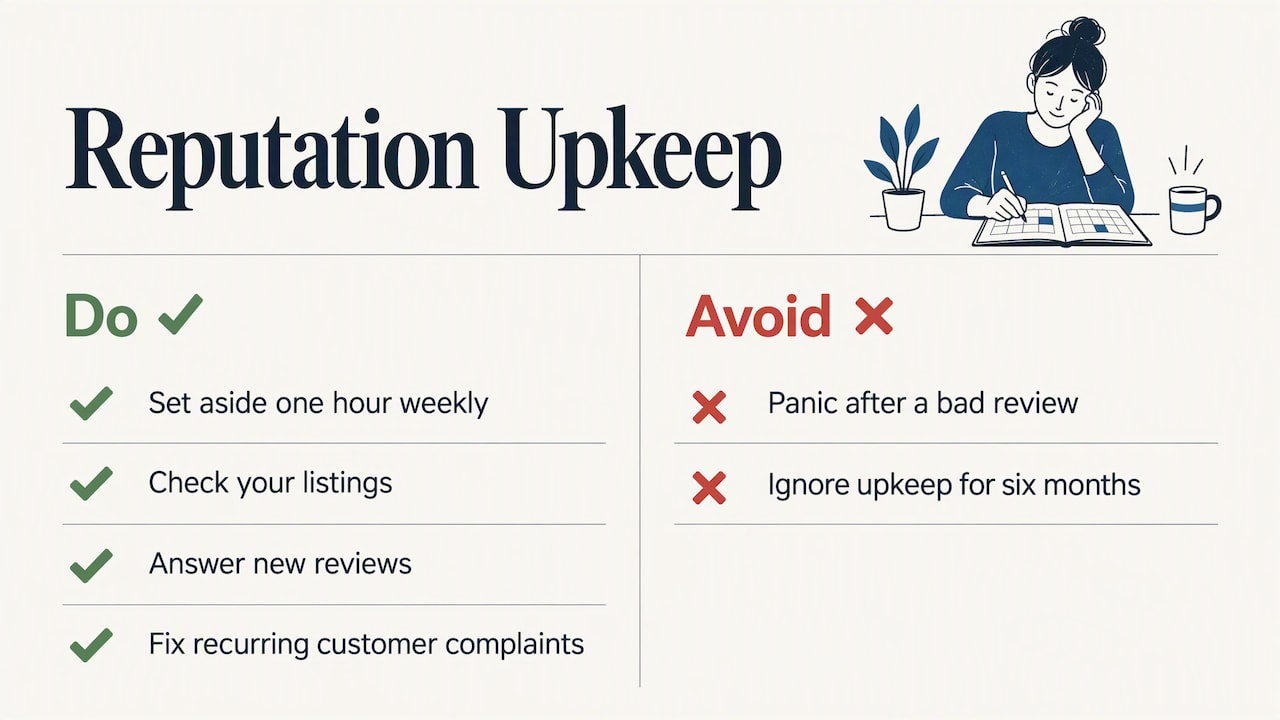
Our advice to owners is to treat reputation as routine upkeep, like restocking or bookkeeping. Pick one hour a week, check your listings, answer new reviews and fix whatever customers keep mentioning. The owners who do this quietly outperform the ones who panic after a bad review and then do nothing for six months.
— Zach
Where a local directory fits in your plan
Google matters most for search, but it should not be your only home on the web. A local directory gives you another verified, indexable page that a resident can find by browsing a city or a category, rather than only searching a name.
On FindLocalKC, a basic listing is free, and you can claim and verify it. If you want more visibility, we offer two paid options, listed on our pricing page:
Plan Price Who it suits Free No charge Businesses that want a verified basic listing Featured $29 per month Businesses that want priority placement over free listings Premium Spotlight $79 per month Businesses that want the highest placement in their categoryYou can read how listings, claiming and verification work on our How It Works page. If you serve a specific city, check how competitors by type show up on pages like Liberty, Gladstone or Lee’s Summit, then claim your listing so your page is the accurate one. Beauty and health businesses can see what a category page looks like for beauty in Liberty and health in Liberty. We also offer a free website and SEO audit for businesses.
A paid plan does not replace service quality or earn you better reviews. It makes a good business easier to find. Start free, claim your page and upgrade only if the extra visibility is worth it for your category.
A 30-day plan you can start this week
Week 1: baseline and ownership. Complete the audit from Step 1. Claim and verify Google and your directory listings. Correct every wrong detail.
Week 2: reviews infrastructure. Create a direct review link and a QR code. Print it for the counter, invoices and receipts. Write the one-sentence ask your team will use.
Week 3: catch up on replies. Reply to every unanswered review from the past year, starting with the negative ones. Use the acknowledge, facts, next step structure.
Week 4: review the themes. Read the last 30 days of feedback, pick one recurring complaint and fix it. Put a 30-minute monthly review on the calendar.
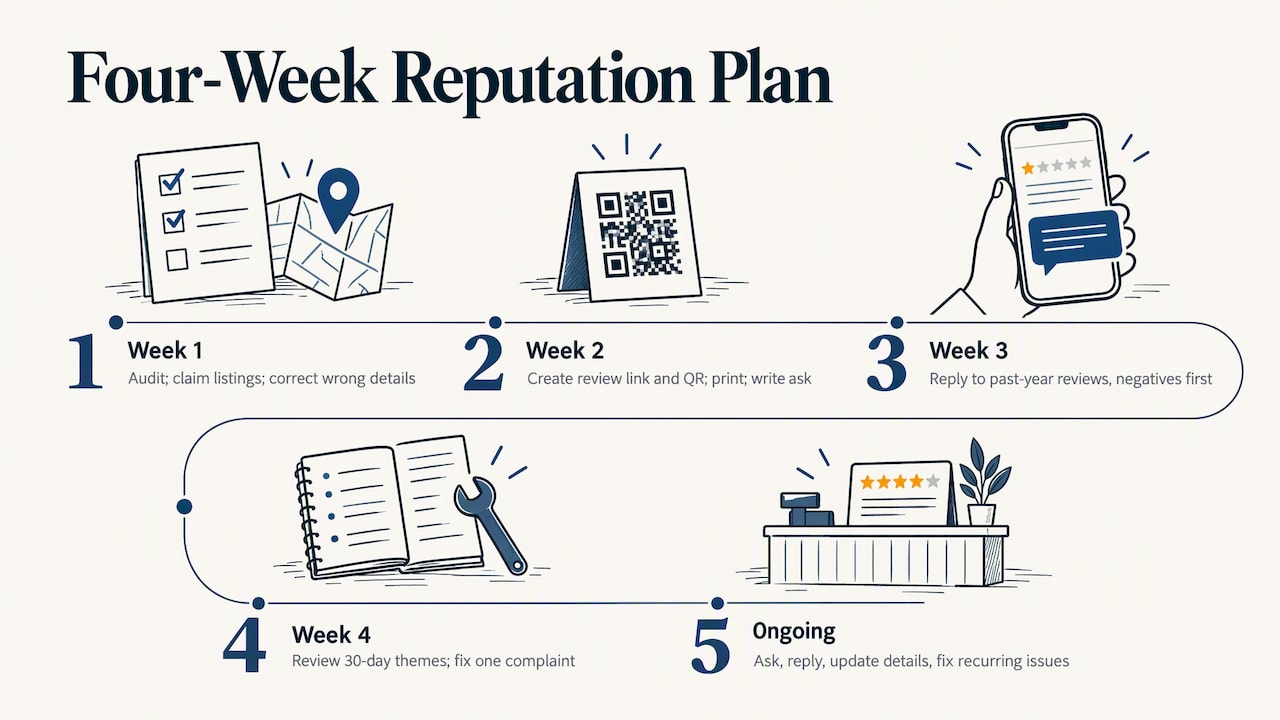
After that, the routine is small: ask every customer, reply to every review, update details when they change, and fix what customers keep telling you.
Common mistakes to avoid
- Deleting or hiding criticism. You cannot remove honest reviews, and threatening reviewers is covered by the FTC’s suppression rules.
- Replying in anger. Observers read the thread, not just the review.
- Gating reviews. Only inviting happy customers to the public link and sending unhappy ones elsewhere can run into the sentiment rules and looks evasive if discovered. Ask everyone.
- Copy-paste replies. Identical answers to every review look automated.
- Neglecting small sites. One outdated listing with a wrong phone number can undo a lot of good work.
- Expecting overnight results. Reviews and ranking build over months.
FAQ
How long does it take to improve an online reputation?
Small fixes like correcting details and replying to old reviews show up within days. A visible change in rating and review volume usually takes a few months of consistent asking. There is no honest shortcut, and buying reviews is banned under the FTC’s rule.
Can I remove a negative review?
Only if it breaks the platform’s content policy, for example it is fake, off-topic or abusive. In that case, report it through the platform. Otherwise, reply professionally and let the reviews around it do their work.
Is it legal to offer a discount for a review?
The FTC’s rule bans incentives that depend on whether the review is positive or negative, and it bans fake or undisclosed insider reviews. Even a neutral incentive can break a platform’s own rules, so check those and ask an advertising attorney if you plan a promotion.
Do I need a paid listing to build a good reputation?
No. Claiming and verifying free profiles, collecting honest reviews and replying well are the core of it. Paid placement, such as our Featured plan at $29 per month, only adds visibility on top of that foundation.
Sources
- Tips to improve your local ranking on Google, Google Business Profile Help
- Tips to get more reviews, Google Business Profile Help
- Manage customer reviews, Google Business Profile Help
- Local Consumer Review Survey 2025, BrightLocal
- FTC announces final rule banning fake reviews and testimonials
- The Consumer Reviews and Testimonials Rule: Questions and Answers, FTC
- Responding to illegitimate negative reviews: how defensive responses affect purchase intentions
- SMEs in the reputation literature: a review of the state-of-the-art